

A subdomain is an extra address in front of your domain, like blog.yourdomain.com or shop.yourdomain.com. It can hold a completely separate website, for example a blog or a test copy of your site.
Create the subdomain
- In cPanel, open Domains → Domains.
- Click Create A New Domain.
- Type the full subdomain, for example
blog.yourdomain.com. - Untick Share document root, so the subdomain gets its own folder, for example
/home/username/blog.yourdomain.com. - Click Submit.
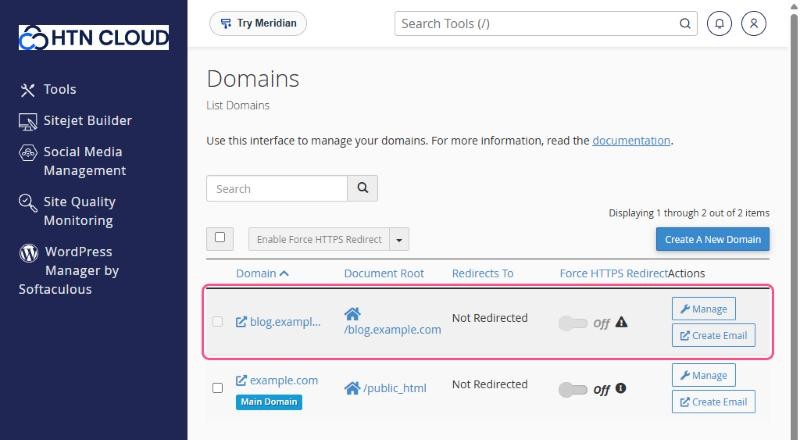
The new subdomain appears in your list of domains:
Add a DNS record
Because your DNS is managed at your domain provider, add a record there for the subdomain:
| Type | Name | Value |
|---|---|---|
| A | blog | your account's IP address |
Once the record is live, a free SSL certificate is issued for the subdomain automatically. See Free SSL certificates: how AutoSSL works.
Add content
Upload files to the subdomain's folder, or install an app such as WordPress on it with Softaculous. Choose the subdomain in the "Choose Domain" list. See How to install WordPress with Softaculous.
