

Webmail lets you read and send email from any browser, on any computer, without setting anything up.
Option 1: Directly in your browser
- Go to
https://yourdomain.com/webmail(orhttps://yourdomain.com:2096). - Log in with your full email address and its password.
This works once your domain points to HTN Cloud. If you've added an A record for webmail, https://webmail.yourdomain.com works too.
Option 2: From cPanel
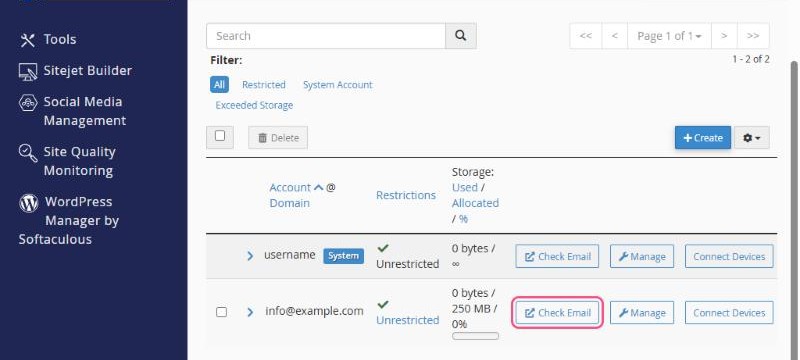
- In cPanel, open Email → Email Accounts.
- Click Check Email next to the address you want to open.
Option 3: From the client area
In the client area, open your hosting plan under Services → My Services and click Log in to Webmail.
Using webmail
Webmail opens in Roundcube, a clean, easy-to-use email app. You can:
- Read, write and organise email in folders.
- Manage your address book.
- Set up email filters and an out-of-office reply in Settings.
Tip: if you also use a mail app on your computer or phone, set it up with IMAP. Then the same folders and read/unread status show everywhere, including webmail. See Email settings for mail apps (IMAP, POP3 and SMTP).
