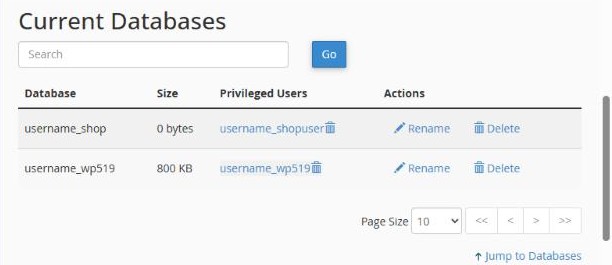
Many web apps store their content in a MySQL database. If you install apps with Softaculous, the database is created for you. If you upload your own site or install an app by hand, create one with the Database Wizard.
Create a database with the Database Wizard
- In cPanel, open Databases → Database Wizard.
- Step 1: type a name for the database (for example
shop) and click Next Step.
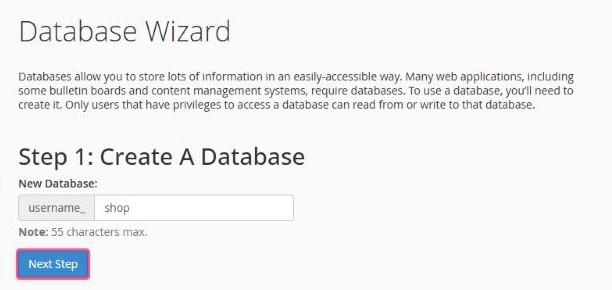
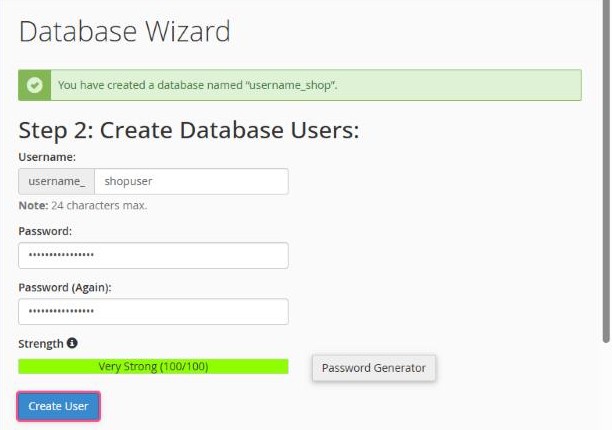
- Step 2: create a database user. Type a username, generate a strong password with the Password Generator and save it somewhere safe. Click Create User.
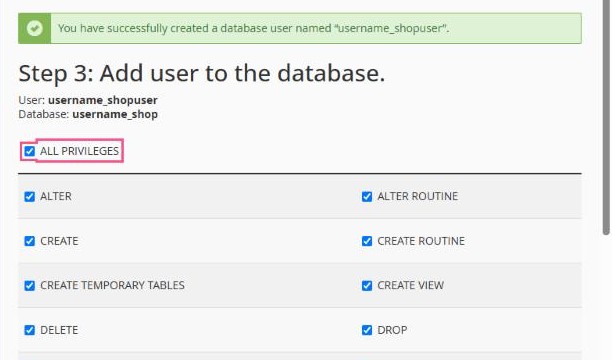
- Step 3: tick ALL PRIVILEGES so the user can fully use the database, then click Make Changes.
Your connection details
Your app's configuration needs these four details:
| Database name | your cPanel username + _ + the name, e.g. username_shop |
|---|---|
| Database user | e.g. username_shopuser |
| Password | the password from step 2 |
| Host | localhost |
Remember the prefix: cPanel always adds your username and an underscore to database and user names. Use the full names in your configuration file.
Managing databases
In Databases → Manage My Databases you can see all databases and their users, rename or delete them, change a user's password and add a user to a database.